Run
Executes a script.
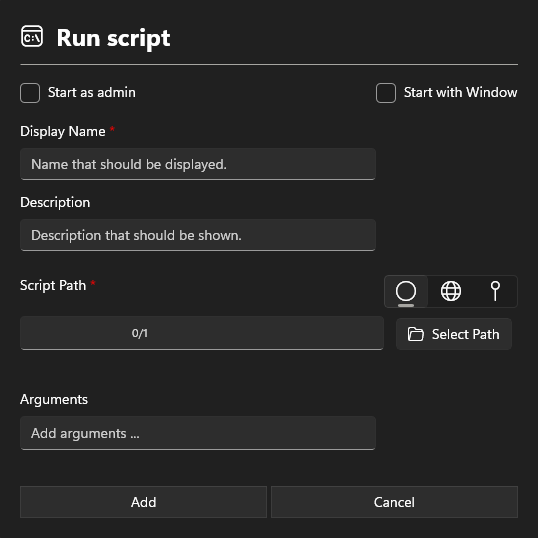
Settings section
Start as Admin
Starts the script as an administrator. If no administrative rights are available, the standard Windows credentials prompt will appear.
Start with Window
Additionally starts the command line window to view the activity.
Information section
Display Name
Add an Displayname. This name will show in the Run Install Packages.
Description
The description is also displayed in the Run Install Packages and may contain information about the software.
Script Path
There are three options available for setting the path:

- Custom path
- global path
- local path
warning
Only .ps1, .cmd, and .bat files can be specified.
Arguments
Arguments for starting the software.